 Digital Transformation
 Data Engineering
 Implementation
 Staffing Services


There is a point in almost every AI conversation where someone asks the same question: What can we use it for? With generative AI, the answers came quickly. Write this. Summarize that. Search for these documents. Build a first draft. It was certainly useful, but most of the work still stopped for humans.
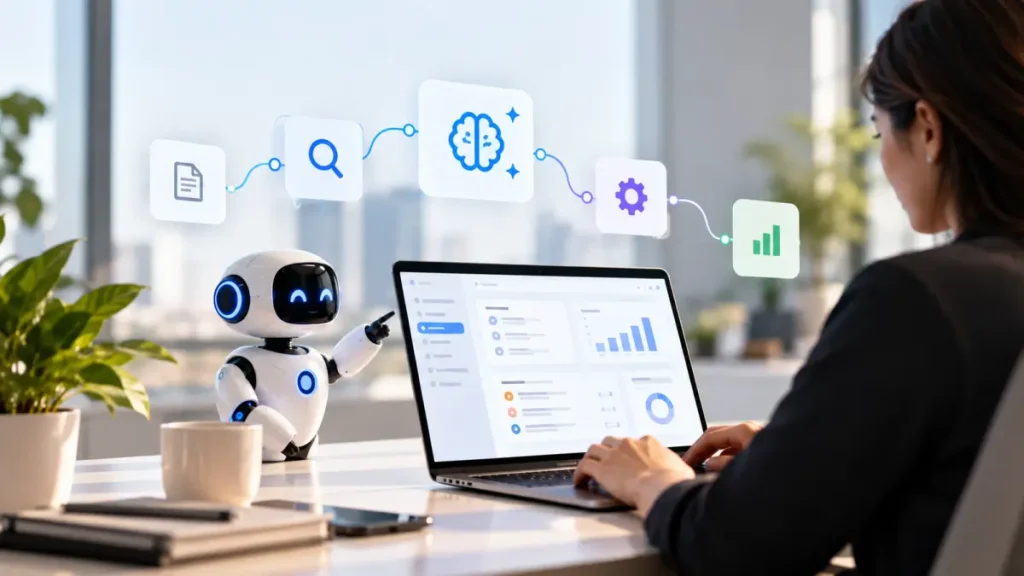
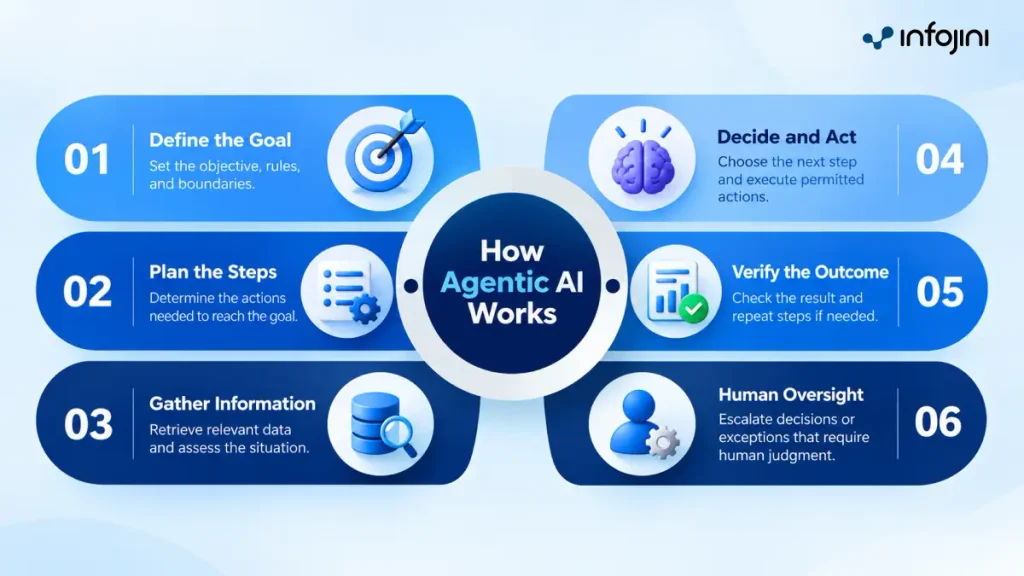
Agentic AI changes the part that comes after. Give an agent a goal within the limits an organization sets; it can work out what needs to happen next. It can pull information from a CRM, check an ERP record, look something up in a knowledge base, decide, and take action. It can also check for issues in a situation and keep going. The best part is that it can stop when it reaches a decision that needs to be taken by a human.
The interesting part is not that an Agentic AI model can understand the customer’s complaint. But the complaint can become a complete task without someone having to move the work from one system to another at every step. This is why agentic AI use cases have attracted decision makers worldwide.
Where Agentic AI Fits Best
The conversation around agentic AI use cases has become much more serious. Enterprises are no longer looking only for places where AI can produce something faster. They are looking at processes where software could take responsibility for moving the work forward.
The best use cases are unlikely to be the ones with the flashiest demonstrations. They are more likely to be the processes that:
- Happen constantly
- Involve several steps
- Have a reasonably clear definition of success
- Can be handed back to a person when the situation gets complicated
This does not mean handing the whole process to an agent. In fact, the opposite is often the better starting point. An agent might investigate a suspicious payment but leave the final decision to an analyst. It might reconcile a routine invoice but send an unusual discrepancy to procurement. It might investigate a production incident and suggest a fix without being allowed to make changes to a live system.
The question is therefore not simply whether a process can be automated. It is how much of the process can safely be handed over.
What Agentic AI Actually Does Differently
The phrase “AI agent” can make a fairly ordinary business process sound more complicated than it is. Take an invoice that does not match its purchase order. A conventional automation might be programmed to flag the mismatch. Someone then investigates it.
An agent could start with the same flag and take the investigation further. It can pull the purchase order, check the receiving record, look at the supplier’s previous invoices, compare the discrepancy with known exceptions, and decide whether it has enough information to resolve the issue. Or it can stop and involve someone.
This is where agentic AI differs from the older idea of automation. The agent is not simply following a list of clicks. It is working toward an outcome and choosing between possible paths based on the information it finds along the way. That does not make it infallible. It makes the design of the agentic AI workflow breakdown for enterprises more important.
Use Cases of Agentic AI
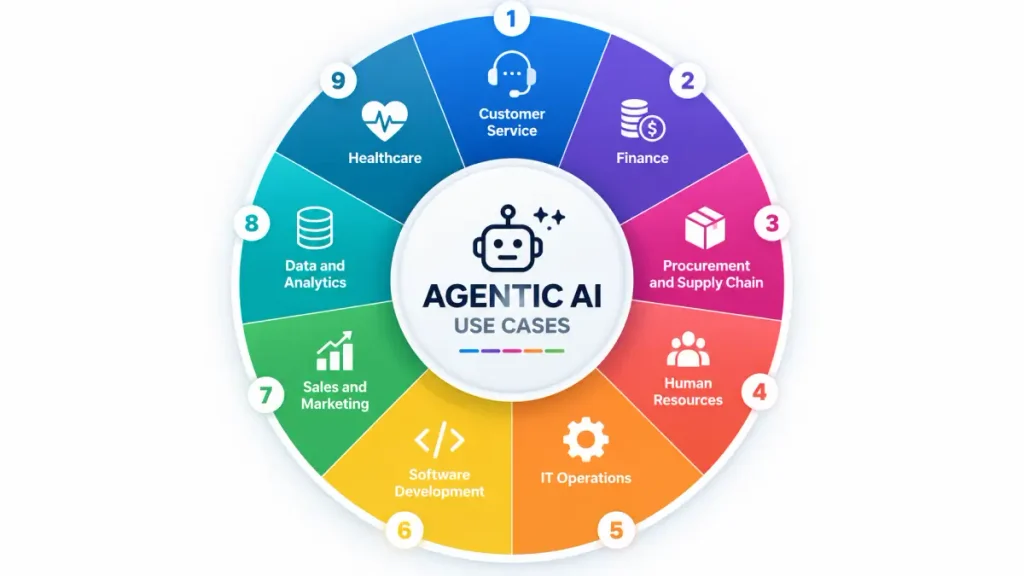
1. Customer Service
Customer service is where the difference between a chatbot and an agent becomes clear. A customer wants to cancel an order. An agent can check the order, confirm eligibility, process the cancellation, and update the record. If something does not look right, the case can go to a representative with the relevant history already in front of them. That matters on scale. As Salesforce reports, 79% of service leaders now consider AI-agent investment critical, while organizations expect agents to cut service costs and resolution times by about 20%.
2. Finance
A transaction gets flagged as potentially fraud. The initial alert is only the starting point. Someone still needs to check the customer’s transaction history, look for unusual patterns, review previous alerts, and determine whether there is enough evidence to escalate the case. An agent can handle this first investigation. It can bring the relevant information together and prepare the case for a fraud analyst to review. It can also follow up on routine checks without requiring someone to move through each step manually. The important distinction is that the agent investigates and assembles the evidence; it does not quietly make a high-risk fraud decision on its own. Adobe identifies finance and fraud response as active AI agent use cases in 2026.
3. Procurement and Supply Chain
A manufacturer does not discover a supply problem when a shipment finally fails to arrive. The warning signs usually appear earlier: inventory is falling, a supplier is running late, and another source may have stock. An agent can bring those signals together, check open orders and supplier information, and prepare the next move. For routine purchases, it could even start the approved process. For a larger commitment, the recommendation can go to procurement instead. Microsoft’s Agent Readiness Survey shows planned agent adoption rising across procurement and supply chain, with both functions reporting a 20% increase in planned adoption. shows planned agent adoption rising across procurement and supply chain, with both functions reporting a 20% increase in planned adoption.
4. Human Resources
Recruiting has plenty of software already. The problem is the work that still falls between the systems. A candidate moves forward, and suddenly someone must schedule the interview, chase feedback, update the application tracking system (ATS) and keep the candidate informed. An agent can keep that process moving without making the hiring decision itself. The same idea carries into onboarding, where documents, training, benefits and access requests all have to line up.
5. IT Operations
It is 2 a.m. and a production service starts throwing errors. An engineer would normally jump between monitoring tools, logs, recent deployments and old incident reports before deciding what to do. An agent can do much of that first pass, connecting the signals and narrowing down the likely cause. If the fix is routine, it can follow an approved remediation path. If the change could affect production more broadly, it stops there and brings in an engineer. That makes IT operations particularly suited to agentic workflows, where investigation, action and verification can happen as one connected process.
6. Software Development
A developer gets a ticket for a straightforward bug. Instead of spending an hour finding the relevant files, tracing the issue and writing basic tests, use of agentic AI can take the first pass: explore the codebase, make the change, run the tests, and return the result for review. That does not make the developer a bystander. Someone still needs to judge whether the fix makes sense, particularly when architecture, security, or product behavior is involved.
7. Sales and Marketing
Before a sales call, a rep may spend more time preparing than actually talking to the customer. The account history sits in the CRM; the latest email is somewhere else, and recent activity has to be pieced together. An agent can pull those threads together and prepare a useful account brief before the meeting. Afterward, it can update the CRM and create follow-up tasks. That is the useful distinction: less time preparing the work, more time doing the work that needs a salesperson.
8. Data and Analytics
A dashboard suddenly shows a revenue number that nobody expected. Instead of sending a ticket to the data team and waiting for someone to investigate, an agent can start tracing the problem: compare the result with historical data, check source tables, look for quality issues, and identify where the numbers diverged. An analyst can then pick up the investigation with much of the groundwork done. IBM identifies data-quality monitoring, anomaly detection, dashboard creation and natural-language data querying as use cases. The value is not another dashboard. It is shortening the distance between “something looks wrong” and “we know why.”
9. Healthcare
Healthcare is a different use case altogether because not every workflow should end with an autonomous decision. Take prior authorization. An agent can gather the patient’s relevant information, check the required documentation, track the request, and flag what is missing. A staff member can then review the case rather than spending time collecting information from several systems. Similar workflows apply to scheduling, claims, and patient communication. Current enterprise deployments are also moving into more complex healthcare environments: Salesforce reports that healthcare and life sciences agent activity grew 19x between February 2025 and April 2026 in its production usage data.
Data, Access, and Governance: The Vital Part
An agent is only as dependable as the data, systems and permissions it has access to. If the data is incomplete, two systems show different information, or the agent has more access than it should; the workflow can quickly become a business problem rather than a technical one. That is why data quality, permissions, identity controls, and activity logs need to be considered alongside the agent itself.
The level of access should also depend on what the agent is being asked to do. An agent that searches for internal documents is very different from one that can approve a payment or make a change to production infrastructure. The goal is not to give agents as much freedom as possible. It is to give them enough authority to do the job, and no more.
Knowing When to Use Agentic AI
With the Agentic AI use cases, data, and governance sorted out, the next task is to figure out where the agentic AI application could make a difference in doing the job. Good workflows are those where people take time to collect information from various sources, pursue routine tasks, investigate problems, or do something that follows a somewhat consistent decision-making process. There should also be an outcome that the business can measure, such as faster completion, fewer exceptions, reduced processing time, or a lower administrative burden.
Risk matters just as much. An agent preparing a recommendation is very different from an agent approving a payment or changing a production system. The higher the consequences of a wrong action, the more important human review becomes. The goal is not to use agentic AI everywhere. It is to find the business processes where an agent can take on meaningful responsibility and deliver a result that the organization can see.
Should Enterprises Build Agents or Use Existing Ones?
The choice between building and buying usually comes down to the workflow.
When to use existing platform agents: If the workflow is located on a certain platform (ERP, CRM, HR and the likes), then it might be more appropriate to leverage the capabilities of agents which can be found on such platforms.
When to Build: On the other hand, if the workflow goes through various systems, is governed by specific enterprise rules or requires capabilities that cannot be provided by one platform, then building it becomes more reasonable.
That is particularly relevant for larger organizations, where one agent is unlikely to handle every type of work. A manufacturer may need one agent working across procurement and inventory, while a healthcare organization may need another to connect information across systems that were never designed to work together. IBM reports that 80% of surveyed executives are increasing their investment in agentic AI, and 75% expect different agents to handle different business problems. That points to a more practical model: specialized agents built around specific jobs, rather than one AI expected to run the whole business.
Conclusion
The value of agentic AI is not in using it everywhere. It is in finding the workflows where an agent can move work forward, handle the routine steps, and know when a person needs to step in. The right agentic AI use cases are the ones where autonomy solves a real business problem, not simply where the technology can be used. Ultimately, the goal is simple: let AI handle more of the work, without taking people out of the decisions that matter.
Frequently Asked Questions
What is a good first use case for agentic AI?
Start with a piece of work people already complain about. Maybe customer requests keep getting passed between teams. Maybe finance staff spend hours figuring out why invoices do not match. Maybe an IT team loses time jumping between monitoring tools when something breaks. Those are more useful starting points than trying to find a job simply because AI agents are capable of doing it. The workflow already has a problem; the agent is there to take some of that work off people’s hands.
What should I look at before giving an AI agent access to business systems?
Look beyond the agent itself. What data will it see? Which systems can it access? What happens if the information it finds is wrong or incomplete? And, perhaps most importantly, what is it actually allowed to change? An agent checking an internal knowledge base presents a very different risk from one that can approve payments or update production systems. Those decisions need to be made before the agent is put to work, not after something goes wrong.
Where should a human still be involved when using agentic AI?
There is no reason for a person to review every small action an agent takes. That would defeat much of the point. Human involvement matters more when the decision carries consequences that the agent cannot reasonably be expected to judge on its own. A routine customer request might be handled from start to finish. A disputed claim, a large payment, or a change to a live system may need someone to take over. The dividing line should be based on the risk of the decision.
Do enterprises need to build their own AI agents?
Not necessarily. If an existing business platform already handles the workflow well, its built-in agent capabilities may be enough. The case for a custom agent becomes stronger when the work moves between several systems or depends on rules that are unique to the organization. Building from scratch also brings more responsibility for integrations, permissions, testing, and ongoing maintenance. For some workflows, that effort will be justified. For others, it will simply be extra technology to look after.