 Digital Transformation
 Data Engineering
 Implementation
 Staffing Services


Courts and judiciary organizations manage large volumes of case-related data across departments, systems, and workflows. As case information grows, teams need a simpler way to monitor case activity, understand timelines, review events, and bring related data together for analysis.
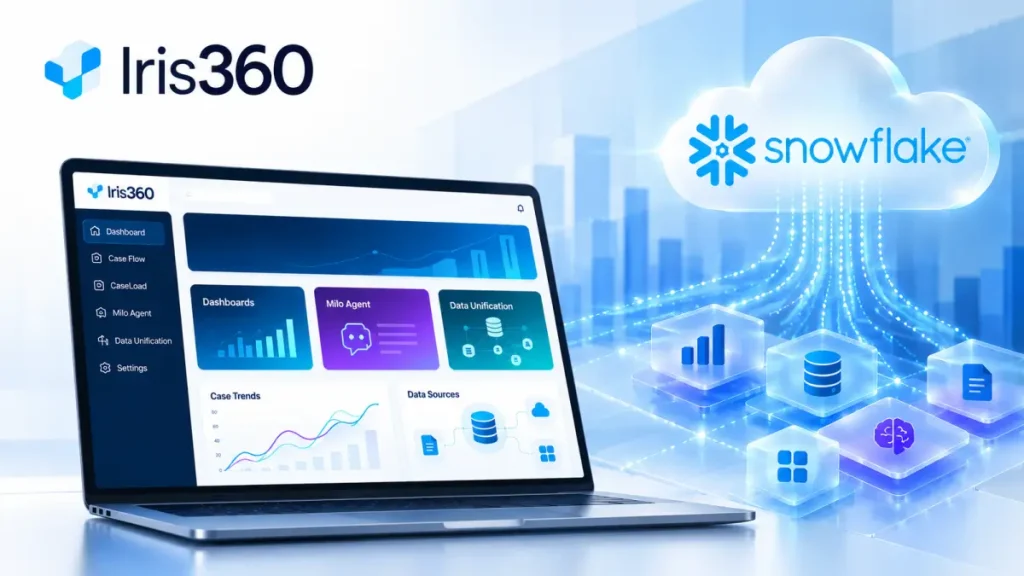
Managing these activities can become difficult when teams rely on separate dashboards, manual checks, or disconnected data preparation workflows. As a Snowflake Native App, IRIS 360 brings analytics, AI-powered assistance, and data unification into the same environment where court-related data can be securely managed and analyzed.
IRIS 360 brings court analytics, conversational assistance, and data unification into one application experience.
Built as a Snowflake Native App, it helps judiciary teams monitor case-related data through interactive dashboards, ask questions using the in-built Milo agent, and unify information from multiple sources.
Key Capabilities of IRIS 360
1. Analytics dashboards
IRIS 360 provides two interactive dashboards to monitor and analyze court case-related data. These dashboards help users review case processing, timeliness, events, compliance, and operational performance from one place.
The dashboard gives the judicial team a clearer view of how cases are moving, where delays may appear, and which operational patterns may need attention. Instead of moving between separate reports, users can review key metrics through a unified application experience.
2. Milo agent
The app has an in-built bot called Milo, an AI-driven agent, which enables users to query their data using natural language. They can ask questions, analyze the case information, and gain insights without having to rely on predefined reports alone.
Milo makes case analytics more accessible for court administrators, clerks, judicial operations teams, and authorized court users. It helps users explore case-related data through conversational analytics and supports faster review by turning data questions into guided insights.
3. Data unification
This app provides tools to work with court case-related data available in Snowflake, including Snowflake tables, standard views, and secure views. This helps teams bring together related information that may be stored in different Snowflake objects or organized across different schemas.
The data unification capability helps grouping related case information that is already available in Snowflake, so users can work with a more consistent view of court data for analysis and reporting.
Why Build IRIS 360 as a Snowflake Native App
Built as a Snowflake Native App, it supports court and judiciary workflows within the Snowflake environment. This approach allows teams to work with court case-related data available in Snowflake and access analytics capabilities without moving data outside the platform.
The application combines analytics dashboards, Milo agent, and data unification capabilities so teams can review case information, ask natural-language questions, and work with standardized data from one place.
- Connected access to case data: This app is designed to help users access dashboards, conversational analytics, and data unification capabilities through a unified application interface. This reduces the need to switch between separate tools when reviewing case-related information.
- Security and access: Because it operates within Snowflake, organizations can align analytics and access with Snowflake’s governance, security, and data-sharing capabilities while supporting internal access requirements.
Who is IRIS 360 Meant For?
This application has been designed for judiciary stakeholders who require a more streamlined and faster way to track case activity, status of operations, and work with unified data about cases in Snowflake.
- Court administrators can leverage IRIS 360 to analyze case volumes, processing timelines, operational trends, and workload patterns across court functions.
- Judicial operations teams can review case events, timeliness, and compliance indicators to understand where delays or process gaps may need attention.
- Clerks and case management teams can access unified case-related information and reduce the effort needed to compare or reconcile data across multiple sources.
- Judiciary leadership can use dashboards and summarized insights to gain a higher-level view of court performance, resource needs, and operational priorities.
- Authorized court users can use Milo agent to ask natural-language questions and explore case-related data without depending only on predefined reports.
- Data and technology teams supporting the courts can help manage Snowflake-based court data so it can be used consistently across dashboards, the in-built Milo agent, and data unification workflows.
Conclusion
IRIS 360 gives users a simpler way to analyze court case information, use AI-powered conversational assistance, and unify data from multiple sources. As a Snowflake Native App, it supports more accessible analytics and more consistent data workflows for judiciary and case-related operations.
Frequently Asked Questions
What does IRIS 360 do?
IRIS 360 helps teams analyze court case-related data through two dashboards, interact with data using the in-built Milo agent, and unify information from tables, views, and secure views within Snowflake.
How does in-built Milo agent help users?
Milo allows authorized court users to ask questions in natural language and receive insights based on court case-related data, making analytics easier for judiciary and operational users.
What data sources can IRIS 360 work with?
This app works with court case-related data that is available in Snowflake, including Snowflake tables, views, and secure views. The app uses this Snowflake-based data to support dashboards, Milo agent responses, and data unification workflows.
Does IRIS 360 run inside Snowflake?
Yes. This app is built as a Snowflake Native App, with capabilities for case analytics dashboards, Milo agent, and data unification for court and judiciary workflows.